
Module 1C: Accessories
C. Accessories
Camera Supports
Support of the camera during an exposure is an important consideration, especially at slower shutter speeds or when using longer focal length lenses. There are several tools a photographer might consider when additional camera support is desired.
 Tripod The tripod is the first choice for providing camera support and stability. Most professional-grade tripods are comprised of a base with three legs and an adjustable column for critical height adjustments. The actual mechanism that attaches the camera to the legs of the tripod is sold separately and is called a Tripod Head. This gives the photographer an array of choices for camera mounting to fit every shooting style.
Tripod selection begins with considering the amount of weight the tripod will bear based on the weight of the camera, lens, and other gear that will be mounted to it. Once the camera is mounted, tripod stability is the most essential factor to consider when comparing tripod models. A heavy camera and lens on a lightweight tripod are a recipe for disaster when the rig becomes top-heavy. You will need to match the tripod to the weight of your gear.
Tripods are available in several alloys and composite materials, making them lighter and more durable. Outdoor photographers doing a lot of hiking may prefer a carbon fiber tripod for its lighter weight and ruggedness in the wild.
A heavy tripod provides stability and peace of mind in the studio or a high-traffic area, reducing the chances of getting knocked over.
A tripod is so much more than support for your camera. It allows the flexibility of addressing the client eye to eye and not have to be hidden behind the camera during the session. This also keeps your hands free to adjust the subject and lighting quickly. The added benefit is keeping a consistent composition from one image to the next.
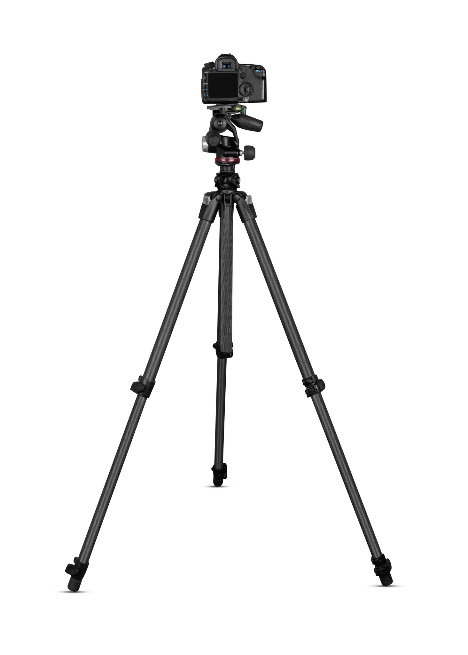
Tripod Heads
All sorts of camera mounts, or heads, are available for mounting a camera to a tripod. Some heads are designed for shooting video, while others are geared towards still cameras. Like tripods, your choice should be based partly on knowing it is rated for the weight of the gear that will be placed on it.
Ball heads are a popular choice due to the ease of adjusting them quickly for portrait or landscape orientation.
Consider a tripod head with a quick-release plate that allows for quick camera removal for hand-held use and easy return to the tripod when finished.
Image Stabilization or Vibration Reduction
Some camera systems and select lenses offer Image Stabilization (IS) or Vibration Reduction (VR) options. These systems help to provide a sharper image when using slower shutter speeds, where the image might appear blurry if the camera is hand-held and IS or VR is not used.
It is recommended that the IS and VR features be turned off when using the camera on a tripod or other camera support because they can cause the image to be recorded as blurry.
Monopod
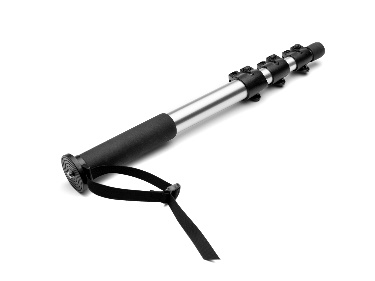 A monopod is another form of camera support utilizing a single post (leg) to take the camera's weight off the photographer's hands and arms during the exposure. While providing additional stability, it is still less stable than a tripod. It will also require some additional head attached to it to allow for vertical compositions if your lenses do not have a tripod mount collar.
White Balance
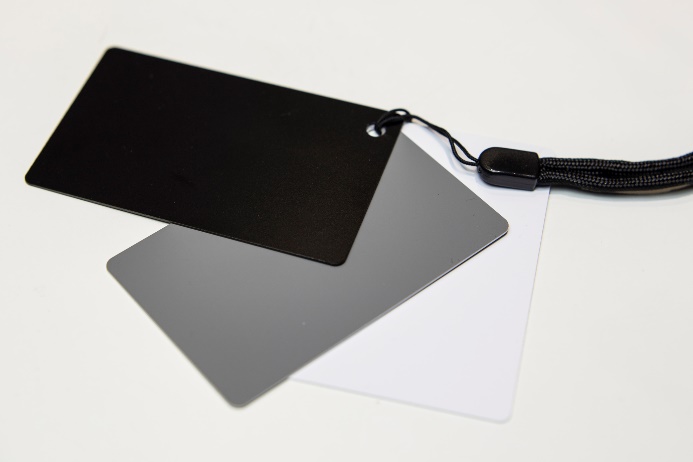
Earlier, we discussed the white balance settings and icons. Here, we will look at some of the methods for determining white balance.
White Balance Target
The most common target to use is a simple 18% gray card. To use the target, set your camera to the Custom White Balance icon and place the gray card under the same lighting conditions as the subject. Next, point the camera to the gray card, observe the in-camera meter, and adjust the f-stops and shutter speeds to move the camera meter to the center. Take the image, then activate the camera's Custom White Balance settings in the menu, and the camera will now be set for color correction under that particular light source.

Calibration Target
Specific calibration targets allow for color correction of RAW images in post-production. These targets use a variety of color swatches that are photographed in the same lighting conditions as the subject. Once the target is photographed, it can be opened with software programmed to read the known value of each of those swatches and automatically adjust each subsequent image from those same lighting conditions.
Calibration Disc
A calibration disc works similarly to the white balance target in setting a custom white balance.
The difference is that the disc is mounted onto the lens, and photographers must place themselves in such a way (usually at the subject position) that the light falling on the subject is now falling on the disc. Then, activate your camera’s custom white balance settings.