
Module 2H: Off-camera Flash
 H. Off-camera Flash
Using a Flash Off-Camera
There are several compelling reasons to get the flash off-camera. Bringing an off-camera flash outdoors and on location provides the photographer with tremendous control over the lighting.
- Control over the quality of light
- Control over the direction of light
- Control over the lightness or darkness of backgrounds
- Control over the quantity of light
Larger Light Sources Provide Softer Light
Getting the flash off-camera allows the photographer to use the flash with any number of unique lighting modifiers made for portable flashes including umbrellas and softboxes. These tools all help turn that tiny little light source of the flash into a much larger light source which makes the light appear softer.
Directional Light
The second compelling reason to get the flash off-camera is that the light can be placed to achieve desirable directional lighting patterns. Additional flashes may also be used to add fill, hair, background, kicker lights and more.
Consistent Exposures
A third great reason for getting the flash off-camera is that you are no longer bound to having to use exposures based on camera-to-subject distance.
When the flash is mounted on a stand and placed in position to light the subject, it does not move. The photographer is free to move about without having to change exposure settings as happens when the flash is mounted onto the camera.
Monolights Have the Advantage
Speedlights can be used off-camera on a light stand with an adapter made for mounting portable strobes. You will also need a way to remote trigger the speedlight.
This is where battery powered monolights are outstanding. Monolights are made to be used with light stands. Most of them have built in radio receivers that work with a transmitter that is mounted on the camera. The transmitters often have the ability to control the output of the light right from the transmitter. Even better, a single transmitter can control multiple monolights simultaneously.
The increase in power available in monolights compared to speedlights, along with the vast array of lighting modifiers available for monolights makes them a superior choice for outdoor and on location off-camera lighting.
Determining Exposure with an off-Camera Flash
When using off-camera flash, the amount of light falling on the subject is dependent on many factors including, the overall power of the flash, flash zoom head position, the output settings of the flash, flash to subject distance, the ISO value that will be used, and the impact from the use of lighting modifiers.
With all of these variables in play, the most reliable way to know how much light is falling on the subject is to use an incident light meter that measures flash. Simply take a test exposure with the meter at the subject position to find the resulting f-stop.
Lowering the Output of a Portable Flash
Speedlights and monolights have the option to power down the output of the flash, sort of like a dimmer switch. Some flashes can be powered down in one stop intervals while others can be adjusted by 1/3 stops or even 1/10 stop intervals.
Unfortunately, many speedlights do not use simple terminology such as one stop less or two stops less. Instead, they use the ratio values for the output of light. For example, a flash that is set to 1/1 power is at full power output. If the flash is set to 1/2 power, the output of the flash is reduced by one-half which is one stop.
Here are the ratio settings for powering down certain speedlights:
1/1 = Full Power output of the flash
1/2 power reduces the output by 1 stop
1/4 power reduces the output by 2 stops
1/8 power reduces the output by 3 stops
1/16 power reduces the output by 4 stops
1/32 power reduces the output by 5 stops
1/64 power reduces the output by 6 stops
1/128 power reduces the output by 7 stops
Some speedlight brands and most monolights offer a simplified version for powering down the flash. For example, the flash may indicate full power with the number of 9 or 10, depending on the brand. You would then power down the flash by one stop by setting the flash at a lower number in incremental steps. Each number decrease represents one stop less in output.
9 = Full Power output of the flash
8 = reduces the output by 1 stop
7 = reduces the output by 2 stops
6 = reduces the output by 3 stops
5 = reduces the output by 4 stops
4 = reduces the output by 5 stops
And so on.
The key to successful off-camera lighting includes the ability to balance the flash to the ambient light in any given situation.
In the test image on the left, the ambient exposure on the camera was set to f8 at 1/125. The meter reading from the flash measured f11 at a power level of 8. (This is based on a monolight where 9 represents full power.) The equivalent setting on a speedlight would be ½ power.


In the image at right, the power output of the monolight was adjusted down to 7 for a two-stop reduction from full power. (1/4 power on a speedlight).
After making this adjustment, the meter reading for the flash was f8 which is the same as the working f-stop on the camera for this setting.
A keen observer will notice the lighting on the subject appears a bit flashy. This will almost always happen when the background is brighter than the ambient light on the subject and the flash is needed to bring the exposure on the subject closer to the exposure of the background.
But watch what happens when the exposure on the subject is about the same as the exposure of the background.
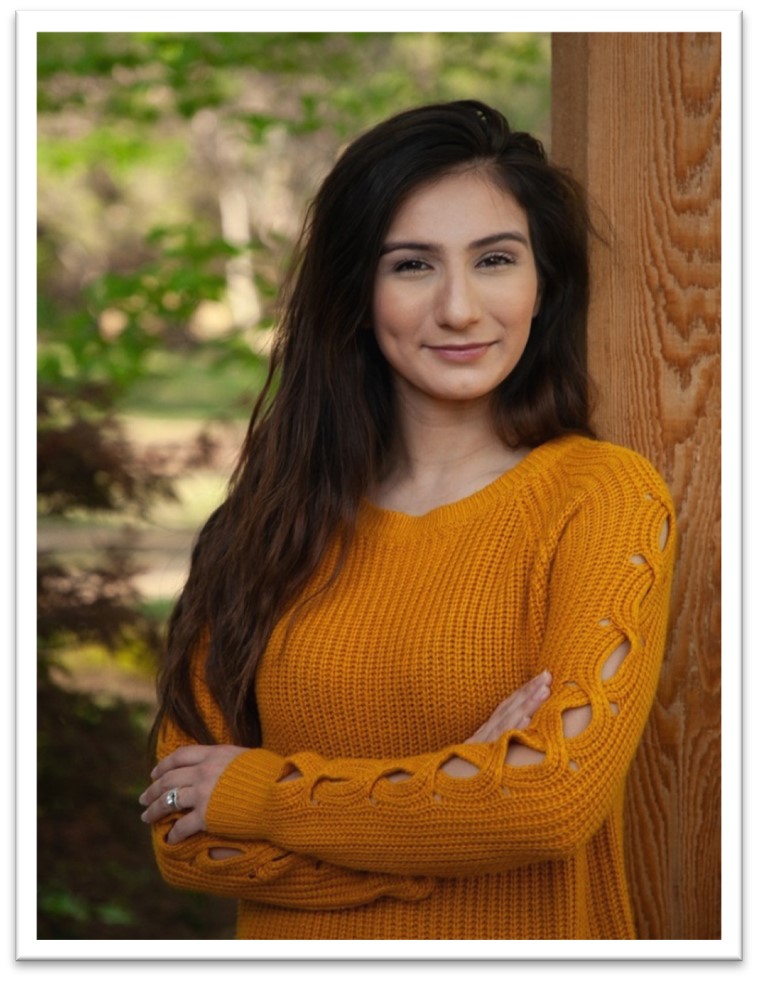

The image on the left was done with just the ambient light in the setting. It measured f/4 at 1/125.
The image on the right was done with an off-camera flash to camera left and set to measure one stop less than the ambient light. In this case, f/2.8. The result is a more directional light pattern that brings a subtle highlight side and shadow side to the face without looking like a flash was used at all.
Many flash meters will aid in setting the flash to get this kind of result.

The % readout compares the relationship of the output of the flash with the ambient light. At 50% the ambient and flash are equal. At values below 50%, the ambient light is dominate and above 50% the flash output is dominate.
While many factors come into play, adjusting the flash output to be 50-75% is a nice range for creating images that do not look too flashy.
Many monolights allow for very precise adjustments with fine-tuning the flash output in 1/10th stop increments.